OpenAI
Access frontier models such as GPT-6 Astra, Sol and Luna

Prototypr.ai helps product teams move from idea to evidence faster. Teams can prototype ideas with AI, connect them to real performance data, and turn what they learn into shared intelligence that people and AI agents can build on over time.
CONNECTS WITH THE TOOLS TEAMS USE EVERY DAY
 MCP
MCP
 Google Analytics
 BigQuery
 Search Console
 Sendgrid
 Stripe
As a result, teams can see what happened, but struggle to connect the evidence, understand why it happened, preserve what they learned, and decide what to do next. That fragmented context also limits how effectively their AI agents can help.
prototypr.ai connects the data behind Research, Building, Measuring, and Learning into one AI workspace. Explore problems, prototype ideas, measure real-world impact with connected data, and preserve the data and decisions behind what you learn.
Accelerate your research. Ask better questions. Design prototypes. Measure your results and record what you learn.
Access frontier models such as GPT-6 Astra, Sol and Luna

Design better experiences with Claude Opus 5.5 and Fable 5.1

Access the best from Google with Gemini 3.8 Flash
After connecting Google Analytics via MCP, prototypr.ai creator Gareth Cull collaborated with the AI Growth Advisor to analyze onboarding drop‑offs, identify activation friction, and redesign the experience — increasing Day 1 retention by 53%, from 12.18% to 18.69%.
“When your AI understands your product data, growth decisions become clearer, faster, and compounding.”
Build, measure and learn faster with frontier models from leading labs such as OpenAI, Anthropic and Google.
Start building with AI todayUse prototypr.ai to explore ideas, create prototypes, measure performance, and curate learnings into AI memory so the system gets smarter with every cycle.
Collaborate with the world's best AI models to explore ideas with AI Chat or Search, generate product surveys and experiment plans that help shape hypotheses before you build.
Accelerate research with the feedback you need to improve your product
Explore topics and questions related to your core business assumptions.
Develop hypotheses with AI to test your assumptions.
Chat with the world's best models from leading AI labs
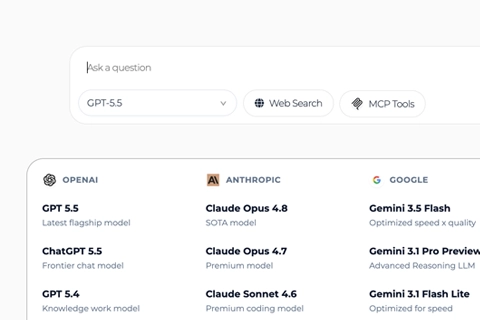
Generate a variety of different user experiences with AI so your team can move from prototype to impact in no time.
Try prototypr.ai Studio and bring your ideas to life faster with AI.
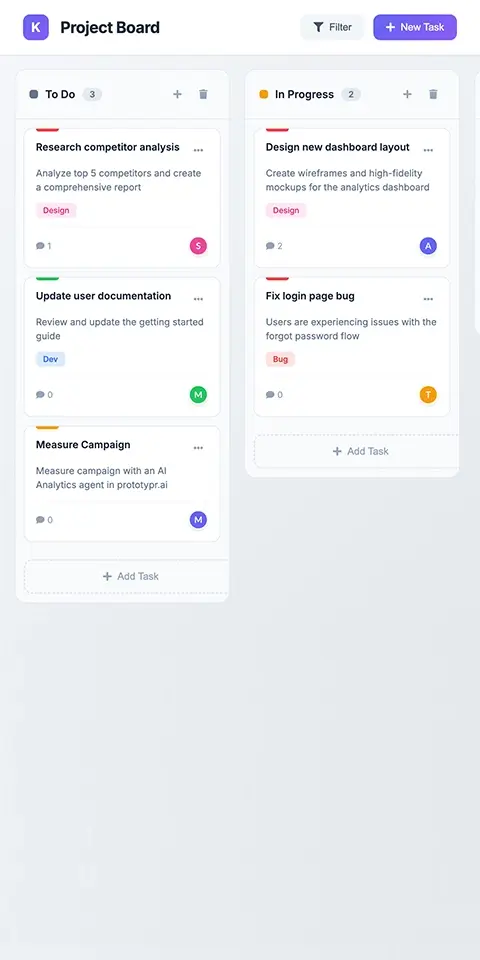
Quickly mock up wireframes and explore your ideas with AI.
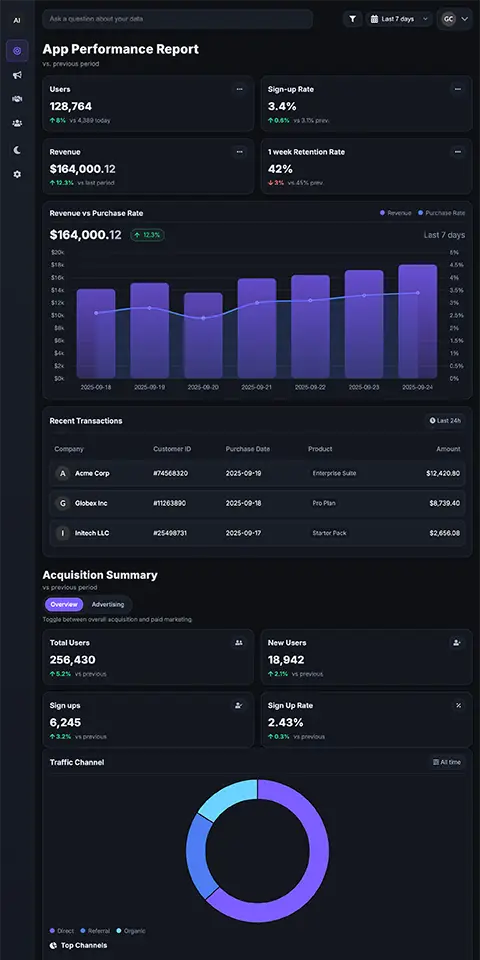
Mockup a dashboard with AI or generate one with Google Analytics.
Easily export code with a click or into your IDE with the prototypr.ai MCP
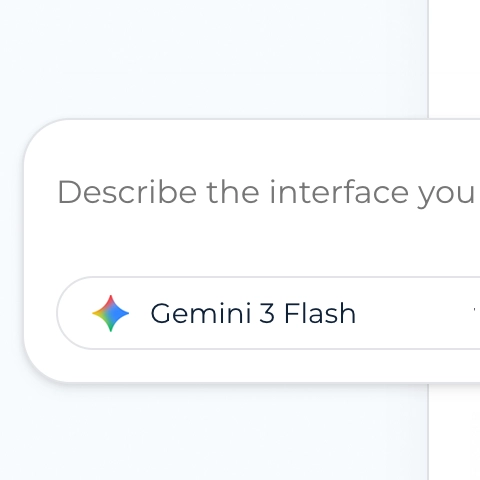
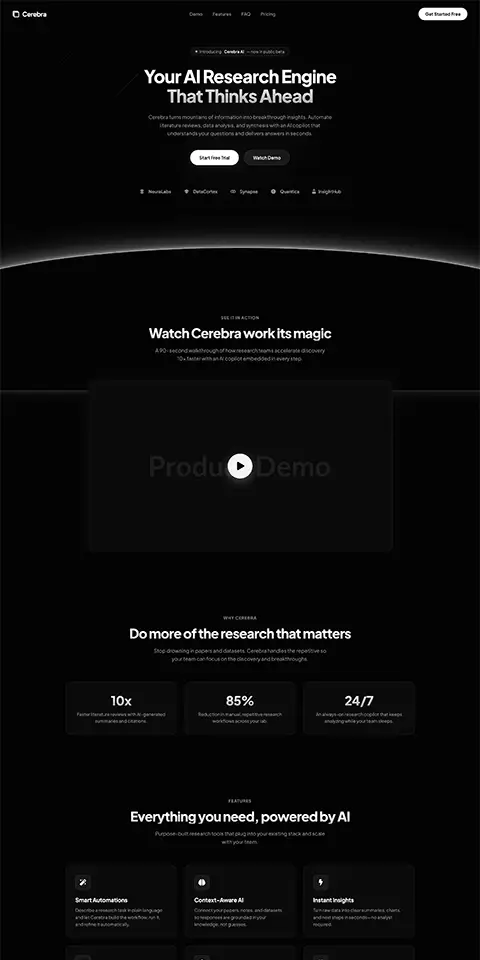
Scroll through high-converting landing pages, dashboards, and responsive user experiences designed within prototypr.ai Studio. Accelerate your design workflow with high quality HTML templates from our community marketplace.
VIEW HTML TEMPLATES IN MARKETPLACEBring analytics, search, email, revenue, and lifecycle reports into the workspace so your team can see how prototypes, pages, and product changes perform.
Leverage fine tuned AI models to build Google Analytics dashboards in Seconds.
Connect tools like Google Analytics, Search Console, Stripe, SendGrid and more.
Connect data via MCP to unlock dashboards built around the customer lifecycle.
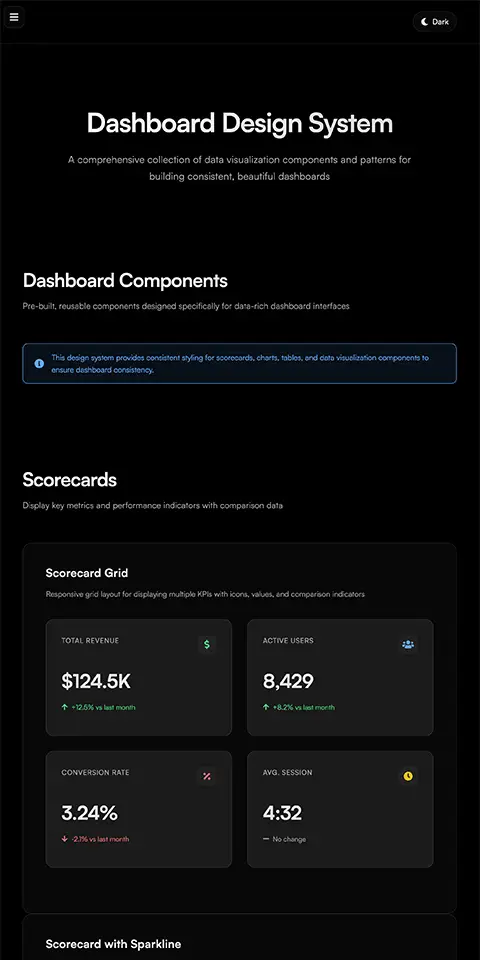
Create more consistent dashboards using a dashboard design system template.
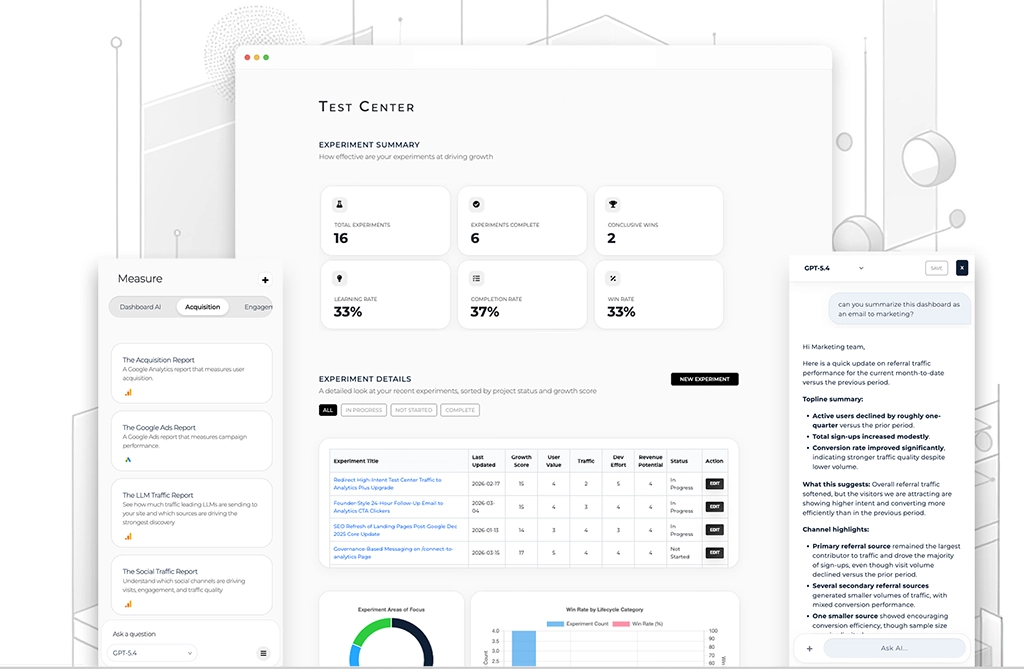
Save experiment outcomes, product decisions, analytics insights, user feedback, and AI conversations into a searchable knowledge base that helps future decisions start with context.
In Test Center, click and view what your AI Knows.
Bring your data into other workflows with the protoytpr.ai API.
Use AI to summarize your data with a weekly update.
As you add more data to AI Memory, agents better understand your business.
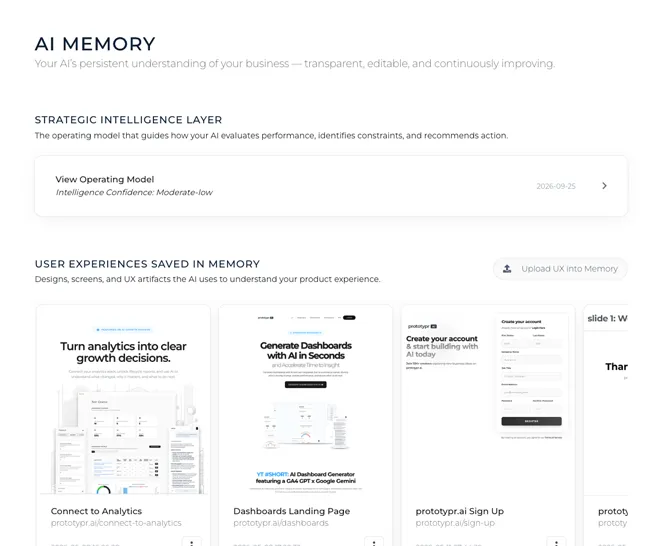
Scale your design workflow, connect product performance metrics, and build a unified product knowledge base that compounds over time.
AI Memory API Documentationimport requests
import json
import os
url = "https://www.prototypr.ai/api/v1/agents/memory"
payload = {
"user_id": "your_user_id",
"workspace_id": "your_workspace_id",
}
headers = {
"Authorization": "Bearer " + os.getenv("API_KEY"),
"Content-Type": "application/json",
"Accept": "application/json"
}
response = requests.post(url, data=json.dumps(payload), headers=headers)
print(response.json())Learn how teams can use prototypr.ai to research ideas, build prototypes, measure performance, and turn learnings into AI memory.
A demo video that showcases how to use AI Search from within the prototypr.ai Workspace.
Learn how to design and edit experiment plans using AI.
Learn how to generate a landing page with AI from your mobile device using prototypr.ai.
See how prototypr.ai uses production-ready design systems and design tokens to generate functional UI prototypes.
Learn how to generate custom Google Analytics dashboards in Dashboard AI.
Connect the GA4 API to AI and ask questions about your Google Analytics data in natural language.
Learn how to use MCP to chat with your Google Search Console data inside prototypr.ai.
See how an AI Growth Advisor can help analyze product data and support better product and growth decisions.
A transparent and user-controlled way for your AI Growth Advisor to reason across analytics data, UX analysis, experiments, user feedback and conversations over time.
Read tactical lessons on data analysis, conversion design, and product validation directly from our building team.
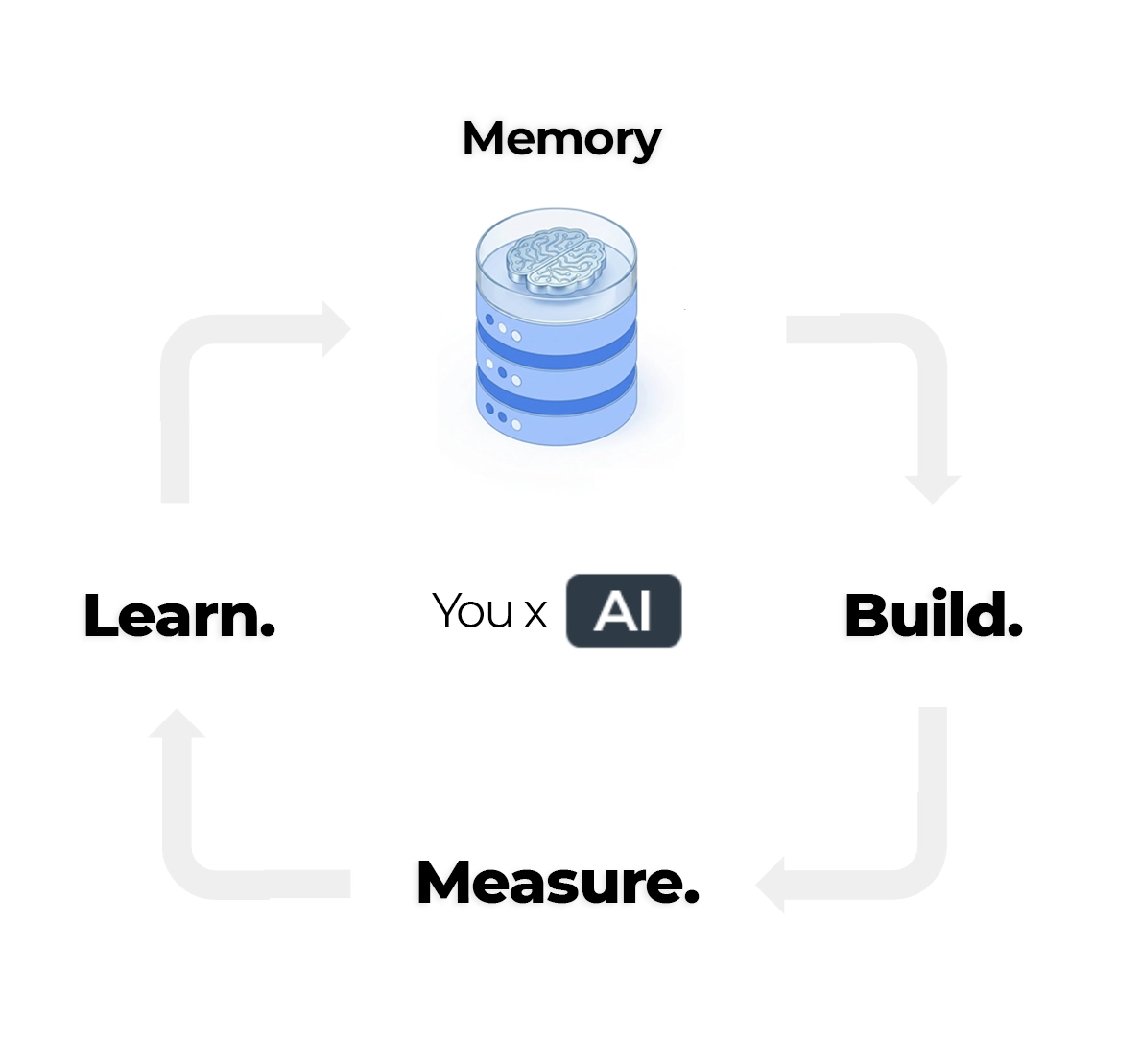
Let's build the foundation of your AI knowledge base around five core inputs: conversations, analytics, experiments, user experiences, and user feedback.
Read article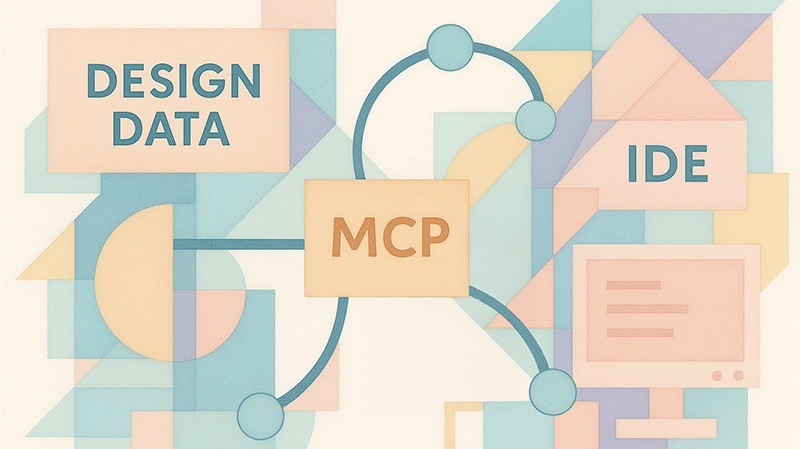
Get started with building a simple MCP server that can act as a bridge between systems. Create a pure python MCP server built on top of Flask and learn how you can modify it for your own purposes. Code included.
Read article
Go beyond prompt engineering and discover how the FACT framework helps you structure data context for smarter, more capable data agents. With practical examples and code.
Read articlePartner directly with the creator of prototypr.ai, Gareth Cull, to explore how you can accelerate building a test and learn culture at your company and start validating your ideas faster with frontier AI models.

Everything you need to know about getting started with prototypr.ai.
Prototypr.ai is an AI product development platform that helps teams move from idea to validation faster by bringing prototyping, research, analytics, and decision-making into one workspace.
Its workspace is inspired by the product development lifecycle and built around four key pillars: Research, Build, Measure, and Learn. Teams can explore problems and ideas with frontier AI models, generate user experiences, connect data sources such as Google Analytics to measure performance, and curate learnings into a growing AI knowledge base that people and agents can reuse to support future decision-making.
Prototypr.ai is designed for product managers, founders, designers, growth teams, and operators who need a more connected way to move from idea to validation across research, prototyping, analytics, and decision-making.
It is especially useful for teams that already think in terms of assumptions, hypotheses, experiments, and measurable outcomes. Prototypr.ai helps these teams prototype ideas, measure how users respond, document what they learned, and preserve decision context so future product and growth decisions can build on what has already been tested.
Most AI design and analytics tools focus on one part of the product development workflow, such as generating user interfaces, creating dashboards, or analyzing performance data. Prototypr.ai takes a more connected approach by bringing research, prototyping, measurement, and learning into one AI workspace.
In practice, this means teams can use prototypr.ai to explore problems, build testable prototypes, connect to Google Analytics and measure how users respond, and save what you learn into a searchable AI knowledge base that supports future product and growth decisions.
The AI Knowledge Base is what makes prototypr.ai especially differentiated. As teams curate more context, including analytics reports, saved conversations, hypotheses, user feedback, experiments, and decisions, AI models can reason with a deeper understanding of what the team has already tried, what changed, and offer up better suggestions around what may be worth doing next. The knowledge base can also be accessed through the prototypr.ai API, making it possible to bring reusable product context into other AI tools, agents, and workflows outside of prototypr.ai.
An AI knowledge base is a structured collection of information that helps AI understand context, answer questions, and make more grounded recommendations. Instead of retrieving isolated facts, it helps AI reason across connected context, similar to how retrieval-augmented generation uses relevant knowledge to produce better responses.
In prototypr.ai, your AI Knowledge Base helps the AI models reason across analytics reports, saved conversations, hypotheses, user experience context, and customer feedback. As you add more context, it can remember what you have tried, connect new signals to past decisions, and help suggest clearer next steps over time.
If you want to read more about how to set up your knowledge base inside prototypr.ai, please check out this article: Building an AI Knowledge Base - A practical guide.
There are a few different ways to connect your data to prototypr.ai:
1. Connect to data sources using MCP: prototypr.ai has designed a number of different open source MCP servers to help companies connect their data. These data sources include: Stripe, Google Analytics, Google Search Console and more. For a complete list, please visit our MCP Data connectors page to learn more.
2. Connect Google Analytics to AI using the GA4 API: Authenticate with the Google Analytics API, and chat with your GA4 data or start generating GA4 dashboards with AI. For step by step instructions for how to connect to Google Analytics, please check out this tutorial: How to Connect prototypr.ai to Google Analytics.
Yes. prototypr.ai is designed to keep you in control of your data. You can easily export your designs from within prototypr.ai studio by clicking on the code icon and then selecting the Download as HTML button. Alternatively, you can connect to the prototypr.ai MCP server and export using your preferred MCP client. For other data such as your knowledge base or survey responses, prototypr.ai offers an API, which you can learn more about in the API docs.
prototypr.ai is designed to be private by default and keep users in control of their data. prototypr.ai does not use customer data to train / fine tune models unless you specifically opt-in to sharing data through feedback or publish a design to our public marketplace. For more details around our privacy guidelines, feel free to review our privacy policy.
prototypr.ai uses leading large language models from providers such as Google, OpenAI, and Anthropic. These models are optimized to be used in specialized AI workflows for tasks such as UI generation, dashboard creation, analytics reasoning, and AI-assisted research. Available models vary by feature and membership tier. More details about the specific models are available inside the app.
prototypr.ai offers flexible pricing depending on how you want to use the platform. You can purchase 50 pay-as-you-go credits for $20 to create AI-powered designs, images, surveys, and test plans without a monthly commitment. Plus Membership is $29/month and is best for users who want ongoing access to lifecycle reports, connected analytics via MCP, the AI Growth Advisor with memory, weekly growth intelligence, advanced chat models, and 100 monthly UI/image credits. Pro Membership is $99/month and includes everything in Plus, along with Google Analytics dashboard generation, premium reasoning models, more credits, founder setup support, and a direct feedback loop for teams that want deeper analytics and hands-on guidance.
Try the AI research platform that helps people bring their ideas to life and validate whether it works.