How to Connect Google Analytics to prototypr.ai
LAST UPDATED: 2026-10-27
This article is a walkthrough for how to authenticate and connect your Google Analytics account with prototypr.ai.
This tutorial is intended for product managers, data teams and marketers who are interested in unlocking the ability to generate dashboards, query data with natural language and bring Google Analytics data together with other data sources for richer analysis and insights.
Table of Contents
This guide will cover the following:
Tutorial: How to Connect your Google Analytics Account to your prototypr.ai Workspace
Let's get started with connecting to Google Analytics to prototypr.ai \o/!
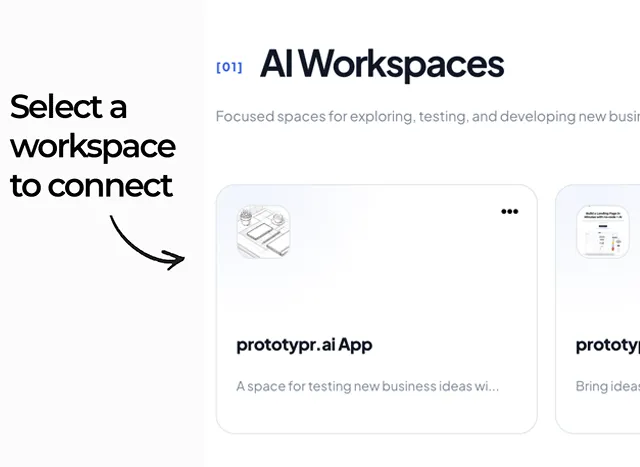
Step One: Select an AI Workspace to Connect to GA4
The first thing you'll need to do is login to prototypr.ai and select an AI Workspace to connect to your Google Analytics account. Your workspaces are located on the /home screen as shown in the image below.
Step Two: Open Dashboard AI
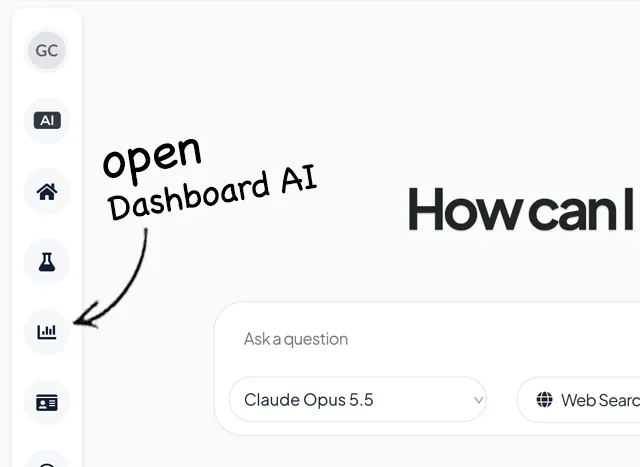
In your prototypr.ai workspace, click on the Analytics icon in the side menu as shown in the image below to open Dashboard AI.
Step Three: Start the Google Auth Process
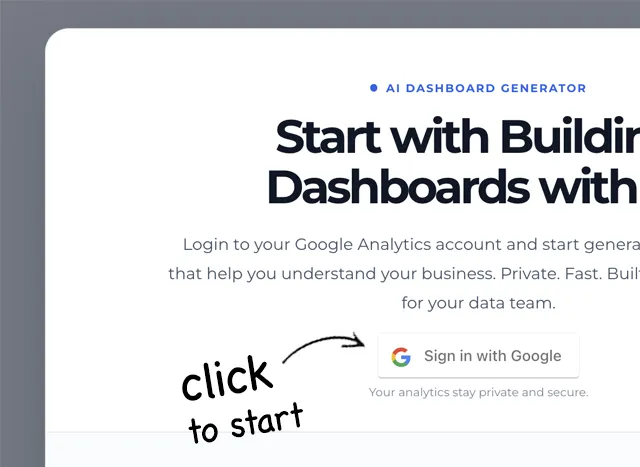
Once in Dashboard AI, you will see a modal window open with a button to sign into Google. Click that sign in button to start the process of authenticating Google Analytics with your prototypr.ai workspace.
Step Four: Authenticate with Google
As you work through the authentication process, you'll be asked to allow prototypr.ai to access your GA account to read your analytics account. Click Continue to authenticate and grant access.

Step Five: Select Google Analytics Account and Property to link
This is the last step! You now need to:
- Select the Google Analytics property you want to link with the drop downs.
- Click on the prototypr.ai workspace card you want to link.
- Click on the 'Link GA4 to AI Workspace' button to finish the connection.

After you click on the link cta, you'll see a confirmation message with links back to Dashboard AI.
And that's how you can connect Google Analytics to your prototypr.ai account. If you have any questions or get stuck along the way, please feel free to reach out to Customer Support in the app.
Happy Analyzing!
API FAQ
Yes! prototypr.ai takes privacy very seriously and respects your data ownership. prototypr.ai does not use your Google Analytics data in any way to train or improve our models. If you would like to help improve our services, the best thing you can do is give us feedback through our support channel.
Data transparency is a key tenant at prototypr.ai and this is something we take great pride in. When you use Dashboard AI, Test Center, we only store what you choose to save. This data includes API Queries which are used to help you generate dashboards and any data you choose to save as part of an Experiment or Conversation.
prototypr.ai makes every effort to keep you in control of your data. If you need to delete any dashboards, conversations, or experiments you can easily do so with a few clicks. Once an item is deleted in prototypr.ai, it cannot be undone or recovered.
If you have any further questions, please feel free to review our privacy policy or reach out to Customer Support in the app.
Of course! Yes, we offer a limited trial which is inference quota based. Every member of prototypr.ai gets a monthly allowance of inference to test out the platform. Should you need more, there are paid options to upgrade inside the app.
There are many great use cases that unlock when you connect Google Analytics to an LLM inside prototypr.ai. They include:
- Generating Dashboards with AI based on your connected Google Analytics data
- Faster Time to Insights with GA4 Chat
- Connecting Google Analytics Data with Other Data Sources to give your business a more complete view of performance.
- Summarizing Dashboards with AI so you can send out updates to your Marketing and Data Teams in addition to supporting analysis.
- Pulling data to support experiments as part of a test and learn program.